Prepare the batch
Import an SVG file or a compatible LightBurn project. When combining projects, set how many copies you need of each.

SEE BEFORE YOU CHOOSE
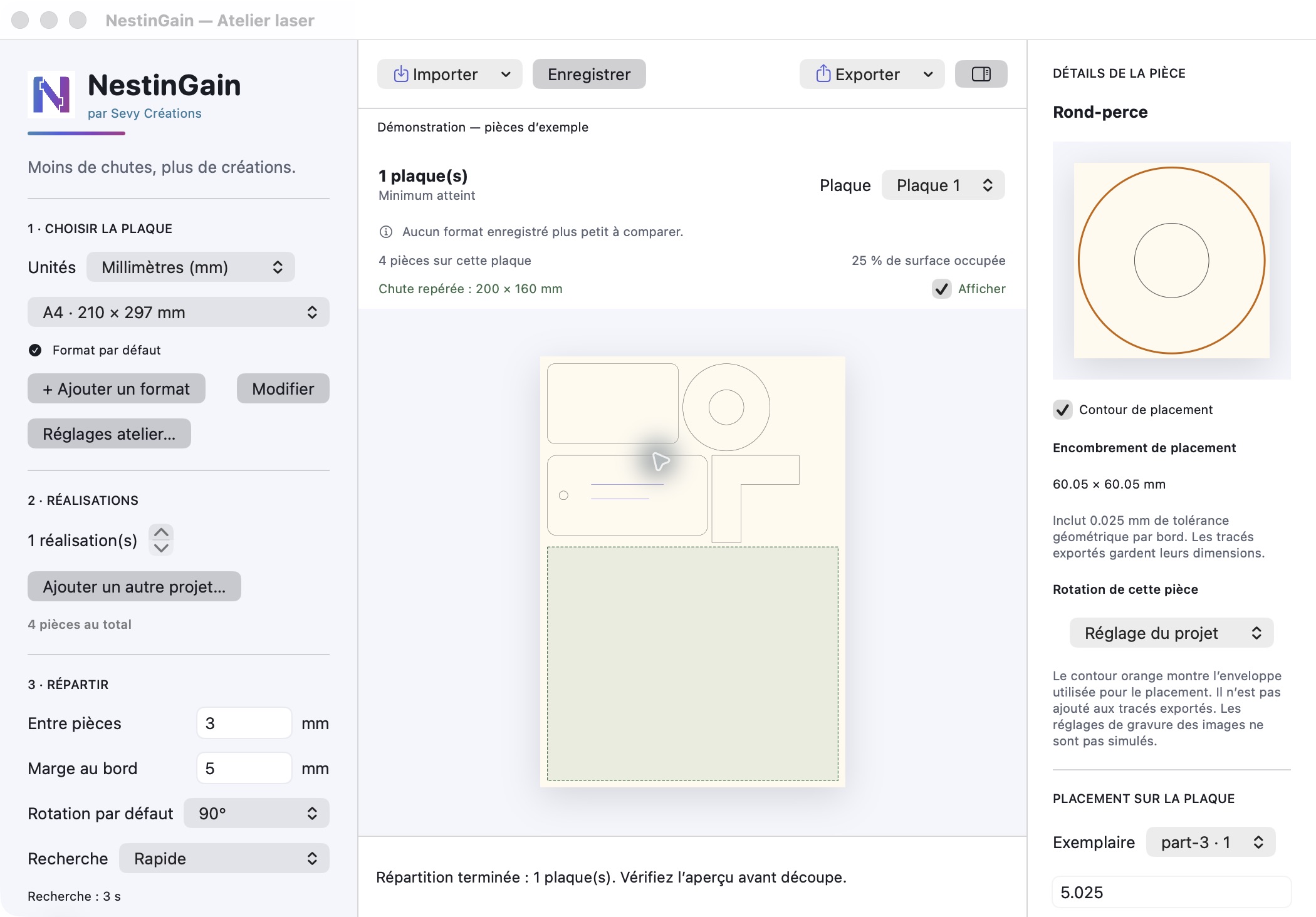
Here’s the app and a real example. The images show saved results: this page doesn’t process your files or provide the nesting engine.
THE SAME 204 PARTS · A3 SHEETS
Compare two layouts of the same set of parts. The saving shown applies to this example; it doesn’t predict what your files will achieve.
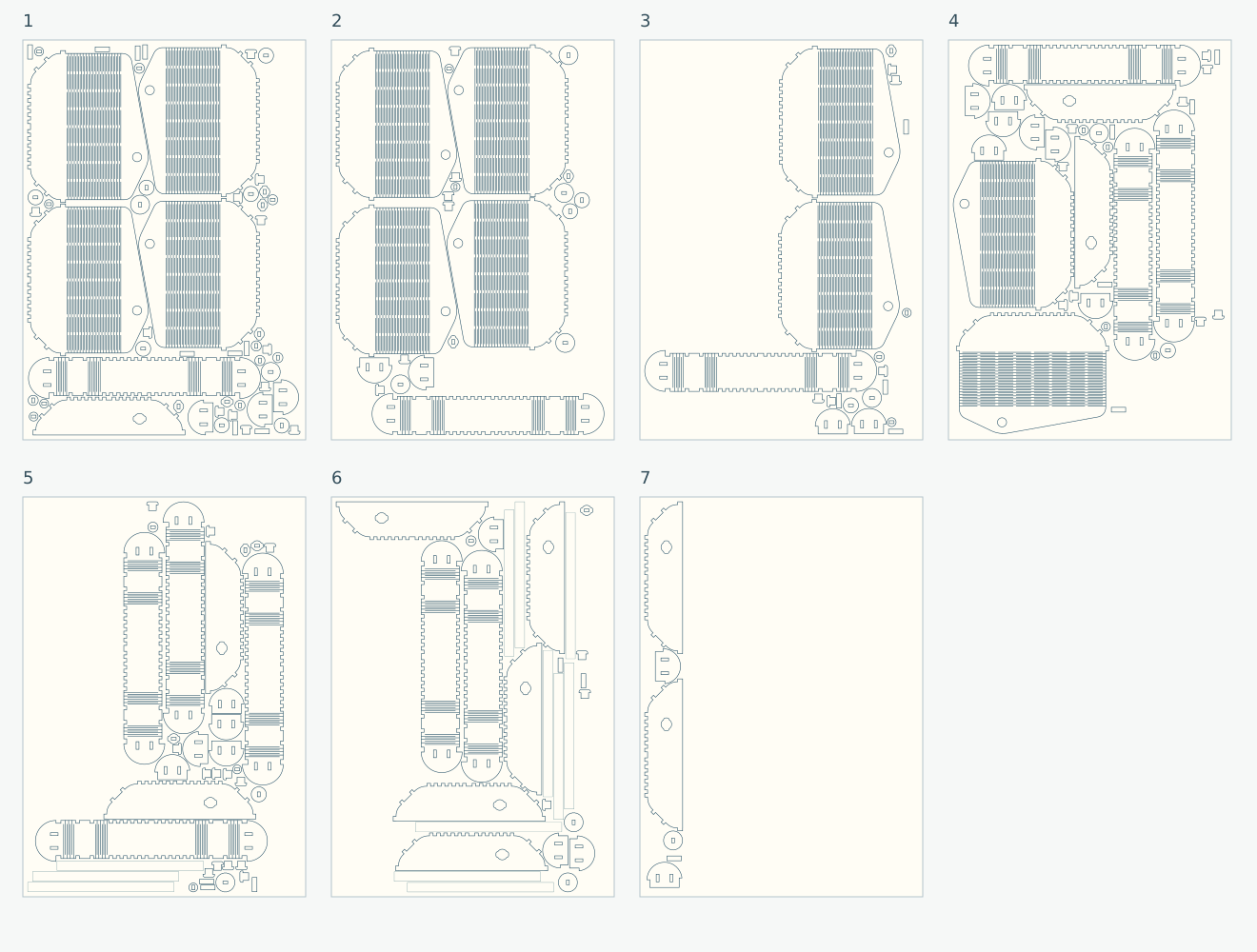
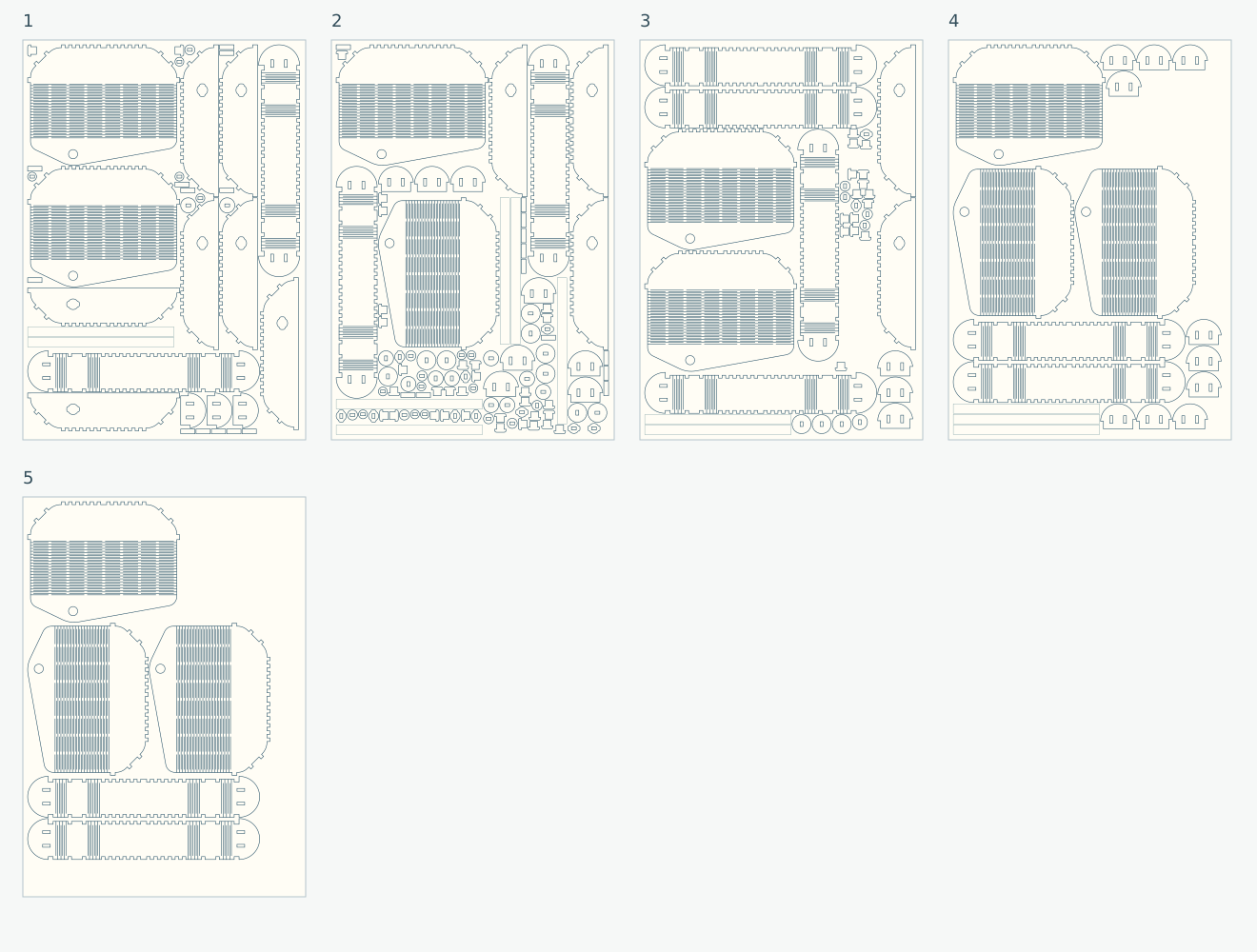
Example recorded on 22 October 2026 (QA 0.3.2): 12 project copies, 204 parts, 297 × 420 mm A3 sheets, 5 mm margin, 1 mm spacing, rotations in 90° steps. The drawings above use the recorded geometries at the same scale. There is no guarantee of a global optimum or a consistent saving.
YOUR WORKSHOP WORKFLOW
Import an SVG file or a compatible LightBurn project. When combining projects, set how many copies you need of each.
Choose the size, margins, spacing and rotations. Compare results and keep a layout that suits your work.
Export the sheets and check cutting settings, layers and kerf in your laser software. NestinGain doesn’t control the laser.